Mirklurk: Every Step Matters Player Tools
Checklists, PC specs, and Steam Deck settings that keep expeditions from failing mid-swamp.
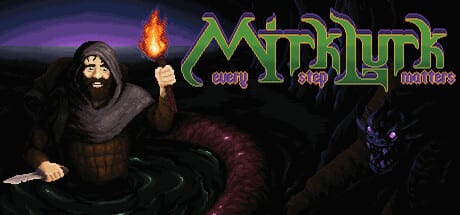
The Tools Hub collects practical utilities for Mirklurk: Every Step Matters—not cheat engines, not scripts, just the planning aids that match a punishing turn-based survival RPG. When nights are cold and inventory is tight, a written checklist beats memory. When you install on an old laptop or Steam Deck, verified specs beat guesswork. Edym Pixels built a challenging exile fantasy; these tools exist so your failures come from The Mirk, not from forgetting dry wood or misreading a GPU label.
Tools in this hub
- Survival checklist — printable-style packing list for campfires, stones, dry wood, food, torches, bedroll, and wound salve before you leave shelter. Use the full card for dungeons and a lighter subset for daytime forage loops.
- System requirements — Windows 10 minimums (Intel i3 m370, 4 GB RAM, HD 5000-class GPU, 350 MB storage) plus verified install notes, zoom/borderless tips, and verify-files habits after hotfixes.
- Steam Deck & Settings Hub — Deck Playable guidance, handheld readability, and settings habits that keep AP turns readable on the go.
Why a tools section belongs on a Mirklurk wiki
Most deaths in this game are logistical. You can memorize Force and Piercing patterns from the weapons tier list and still freeze because wet wood sat in the “ready” pile. You can follow the Warrior build steel swap plan and still soft-fail a session if the client hitching on a 4 GB laptop breaks your Focus mid-firecraft. Tools pages close that gap between strategy articles and the messy reality of packing and hardware.
Survival meters—Hunger, Focus, Energy, Warmth—do not pause while you alt-tab to remember whether you brought stones. The checklist externalizes that memory. Likewise, the 8 AP turn economy assumes the game is actually running smoothly; the requirements page tells you whether your machine clears the published bar before you blame balance.
How these tools connect to the rest of the wiki
Checklists assume you already understand basic controls. If not, start with Getting Started and the Guides Hub. Gear choices should align with the Tier List Hub and a concrete playstyle from the Players Hub—foragers pack extra brew space; warriors stage steel swaps and still tick every fire row.
After patches that touch fire UX or carry weight—common in the summaries under patch notes—revisit the survival list and re-tick fuel and weight rows deliberately. After Version 1.0, confirm your hardware page still matches your device, especially if you moved to Deck or enabled new borderless options from late 0.9.x—then cross-check the Steam Deck & Settings Hub.
When magic orbs enter your kit, add meter-specific rations to the checklist: Hunger orbs need food, Focus orbs need a booked rest, Warmth orbs need weather awareness. The tools do not replace the skills tier list; they make skill plans executable in the field.
Suggested workflow
- Open the survival checklist in a second window or print the seven-word mantra: campfire, stones, dry wood, food, torches, bedroll, salve.
- Tick items as you pull them from chests or craft them; never assume a base stash equals a packed inventory.
- Compare weight against your current armor plan and free slots for harvest picks.
- If the game stutters or fails to launch, jump to system requirements before reinstalling blindly.
- On Steam Deck or handheld, open the Steam Deck & Settings Hub for Playable notes, zoom, and borderless habits before blaming balance.
- Keep Links handy for Steam support, Discord (
discord.gg/VfZDXnH), and developer news when wiki tools are not enough. - After any Steam news post, ask whether camping, weight, zoom, or languages changed—then update your personal checklist notes.
What this hub will not include
No trainers, no memory editors, no fabricated map reveals. Mirklurk’s tension comes from imperfect information and scarce inventory. The Tools Hub stays on the honest side of that design: preparation aids, install clarity, and pointers back into builds and updates.
Use these pages before every serious delve so the only surprises left are the ones The Mirk intends. Check twice, step once, and keep the fire in mind before the spear.
Frequently Asked Questions
Quick answers for surviving The Mirk.
Are these in-game tools?
No. They are wiki utilities—checklists and hardware guidance—you use while playing the Steam version.
Should I use the checklist every run?
Use it before long expeditions, dungeons, or stormy nights. Short daytime forage loops can run a lighter subset.
Where are combat rankings?
Weapon and skill tiers live under the Tier List Hub; this Tools Hub focuses on packing and PC specs.
Does Mirklurk need a high-end PC?
No. Minimums are modest (see the system requirements page). Steam Deck is listed as Playable.