Mirklurk: Every Step Matters System Requirements
Official minimum PC specs and Steam Deck Playable guidance for Mirklurk.
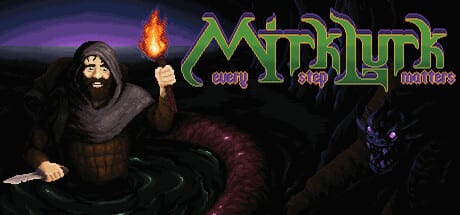
Mirklurk: Every Step Matters is a lightweight GameMaker Studio 2 title from Edym Pixels, which means the hardware bar sits far below modern AAA demands. You can exile yourself into The Mirk on modest Windows laptops—and on Steam Deck (Playable)—as long as you meet the published minimums and keep drivers sane.
This page mirrors the Steam store Minimum specifications and adds practical install advice. It does not replace Steam’s own storefront block if Valve updates numbers later. For gameplay prep, use the survival checklist; for patch-related performance quirks (zoom, borderless, resolution), skim patch notes.
Official minimum requirements
| Component | Minimum |
|---|---|
| OS | Windows 10 |
| Processor | Intel Core i3 CPU m370 @ 2.40 GHz |
| Memory | 4 GB RAM |
| Graphics | ATI Mobility Radeon HD 5000 class |
| Storage | 350 MB available space |
These values come from the Steam app 3972980 store page. There is no separate “Recommended” block published in the same detail; if you exceed the minimums, you are already in the comfortable zone for a 2D pixel survival RPG.
What the minimums imply
- CPU (i3 m370) — A 2010-era Arrandale laptop chip. Modern dual-cores and handheld APUs clear this easily.
- 4 GB RAM — Leave headroom by closing browser farms; Windows 10 itself competes for memory on 4 GB machines.
- HD 5000-class GPU — Integrated/entry discrete graphics from the same era. Deck and most post-2015 iGPUs surpass it.
- 350 MB storage — Tiny footprint; still keep free space for Windows updates and Steam shader/temp files.
Steam Deck
Mirklurk is listed as Steam Deck Playable. Expect a usable experience with possible caveats typical of Playable (not Verified) titles—check the live Deck compatibility section on Steam for the latest glyph. Practical tips:
- Install on internal SSD or a fast card.
- Use default Proton unless a community note says otherwise.
- Revisit in-game zoom and borderless options added during late 0.9.x if UI scale feels off.
- Map weapon swap and scouting to easy face buttons; AP combat rewards deliberate inputs over flick aim.
- Keep a physical or on-screen copy of the survival checklist—Deck sessions in bed still need dry wood discipline.
Laptops and low-spec PCs
If you sit near the minimum CPU/GPU:
- Run on power, not flaky battery profiles.
- Disable heavy overlays if you see hitching when fires and particles spike.
- Prefer windowed or borderless modes introduced in patches if exclusive fullscreen misbehaves.
- Verify game files after major Version 1.0 or hotfix drops.
Platforms and features
- Platform: Windows via Steam (primary).
- Mode: Single-player; no shared sessions requirement on networking hardware.
- Family Sharing: Supported per store flags.
- Demo: Available separately—useful to validate performance before purchase ($14.99 list).
Links to the store, demo, Discord, and developer site live on the Links Hub.
Performance versus gameplay difficulty
Smooth framerate does not equal easy survival. The challenge is systemic: meters, patterned combat, and camping. Meeting specs only means the swamp can render while it tries to kill you. Pair this page with Guides, Players, and Tier List resources once the game launches cleanly.
Troubleshooting quick list
- Confirm Windows 10+ and 350 MB free.
- Update GPU drivers even on old HD 5000-class chips when possible.
- Switch zoom/borderless if menus clip.
- After language patches, restart the client to refresh fonts.
- If art assets go missing (rare texture-page bugs appeared in EA hotfixes), verify integrity and update before reinstalling.
After installing
Boot into a short campfire drill, not a blind dungeon. Tick the survival checklist, skim Getting Started, and decide on a forager or warrior packing list. Hardware got you in the door—habits keep you there.
Return to the Tools Hub for related utilities, and watch the Updates Hub if a patch touches display options. Your i3-era minimum machine is welcome in The Mirk; just bring dry wood.
Frequently Asked Questions
Quick answers for surviving The Mirk.
What OS does Mirklurk need?
Windows 10 is the published minimum on Steam.
How much RAM and storage are required?
4 GB RAM and 350 MB available storage, plus breathing room for the OS and Steam.
Is Steam Deck supported?
Yes—rated Playable. Check Steam’s live Deck section for the newest notes.
Is there a demo to test performance?
Yes. Download the Steam demo via the Links Hub or store page before buying.
Do I need a gaming GPU?
No. An HD 5000-class minimum means most modern integrated graphics are sufficient.